

The best reporting systems are simple and intuitive. The folders are where people expect them, the numbers refresh on time, and nobody has to file a ticket to fix a credential. That's the standard we're building toward: reporting that runs on its own, so your team's time goes into the "so what" instead of the setup.
This month's product updates are about removing the small frictions that add up: nested folders, insight-only syncs, and self-serve Tableau connections.
Nested folders
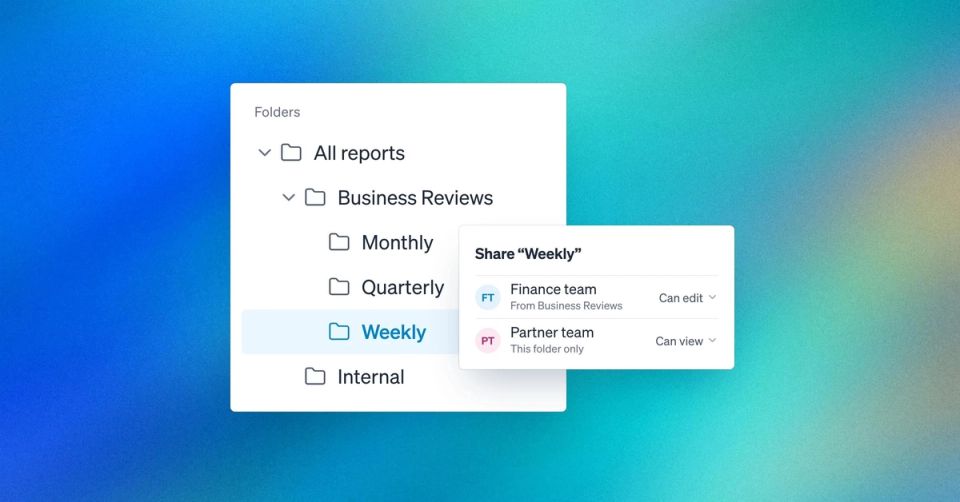
Organize reports the way your org actually works. Your reporting has structure: by team, by region, by quarter. Now your Rollstack workspace can match it. Nested folders let you organize reports in as many levels as you need, with dedicated permissions at each one.
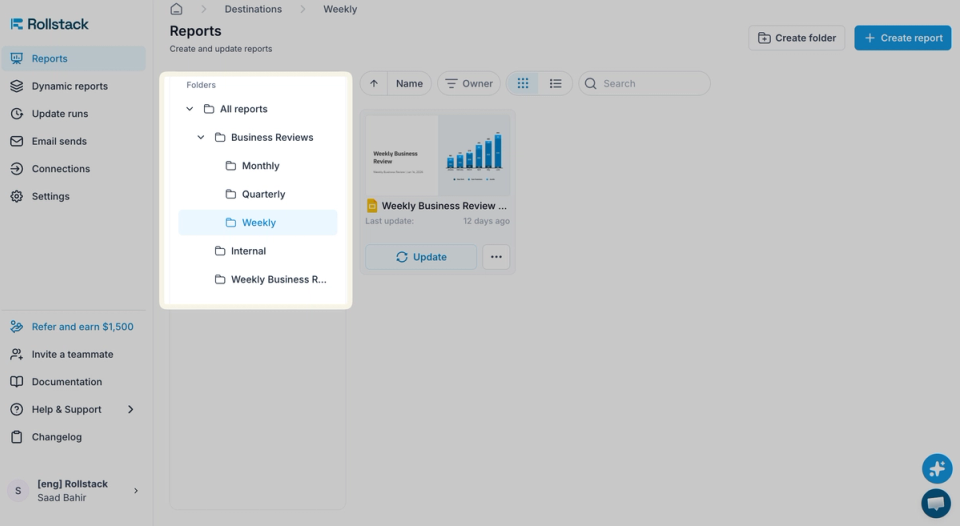
- Permissions at every level. Set access on a parent folder, or share a single subfolder with a partner team.
- Drag and drop to reorganize. Move folders and files around the way you would in Google Drive or SharePoint.
To set it up: create a folder inside any existing folder, then choose who can view or edit at that level. Sharing a subfolder doesn't open up the folders above it.
Insight-only
More context for the AI, no clutter on the slide. Some visualizations belong in the deck. Others exist only to give the AI more to reason with. Now you can tell Rollstack the difference.
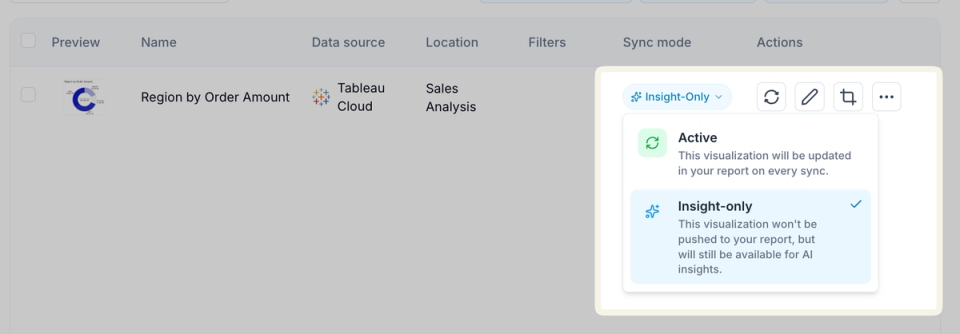
Set any visualization to Insight-only and it keeps refreshing with every sync and stays available to AI Insights, but it never gets pushed to your report.
To set it up: open the visualization's settings and turn on Insight-only.
Self-serve Tableau connections
Fix your own credentials, no ticket required. Every user can now manage their own Tableau connection by providing a Personal Access Token to validate their username.
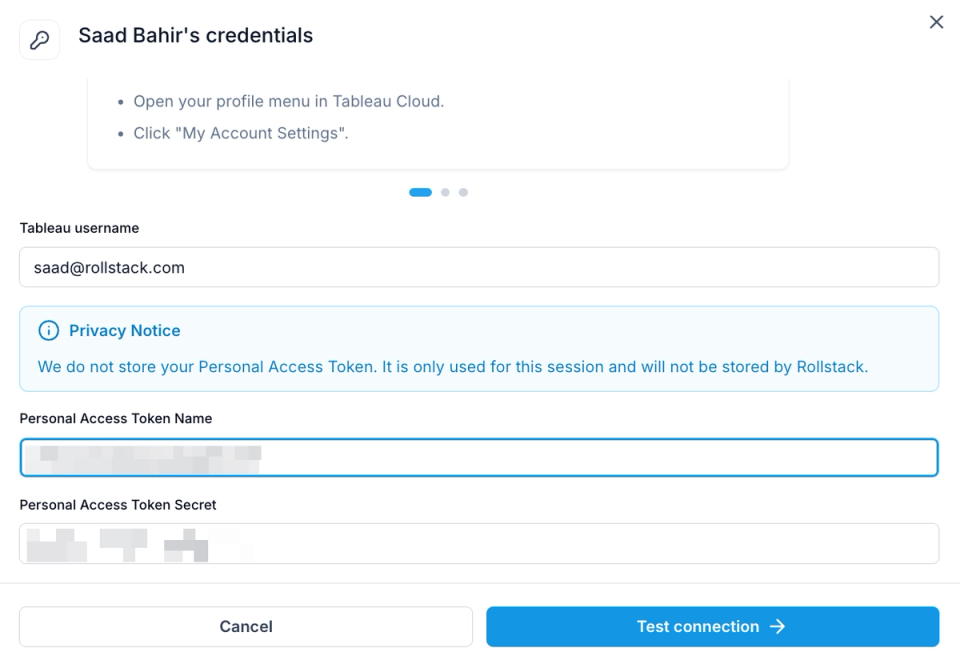
When a credential expires, the person who owns it can now update it in seconds, so reports can keep refreshing on schedule. More on how Rollstack works with Tableau: the Tableau integration.
To set it up: create a Personal Access Token in your Tableau account settings (Tableau's guide), then add it to your Tableau connection in Rollstack.
What's coming next
From Younes Jallouli, Chief Product Guru
We've got some exciting updates coming up that will deliver a completely new Rollstack experience:
- AI-native slide editor: edit your slides directly in Rollstack, using AI to generate new visuals, add insights, customize formatting and more.
- Snowflake integration: connect Snowflake as a data source and query your data warehouse directly.
We'll also be taking a closer look at what's new in Dynamic Reports and Looker next month. Stay tuned.
Related reading
- Introducing AI-powered insights: contextual, personalized insights written into your reports and decks.
- Dynamic Reports: build a report once and generate a tailored version for every client, region or team.
- Governance: BI permissions and approved metrics on every slide, every number traced to its source, and sign-off before anything goes out.
Connects to the tools you already use
All integrations