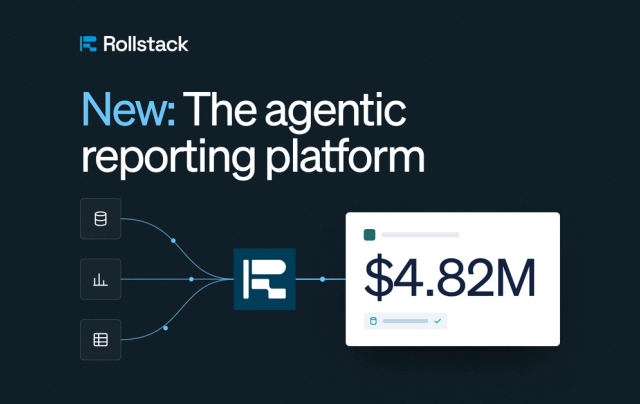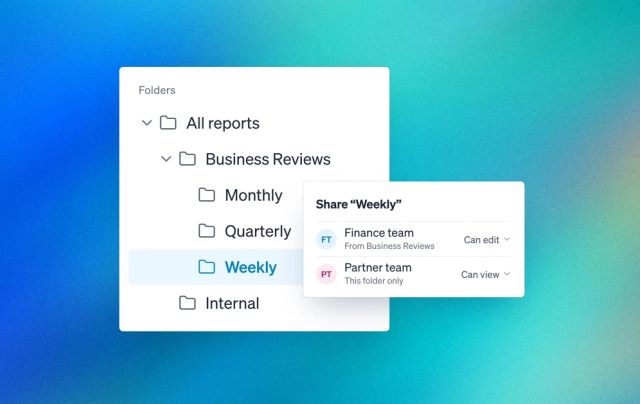
Most AI assistants can now write a slide. Far fewer know where your numbers live, what should happen to the deck next week when they change, or how to build thousands of versions of it reliably, at scale.
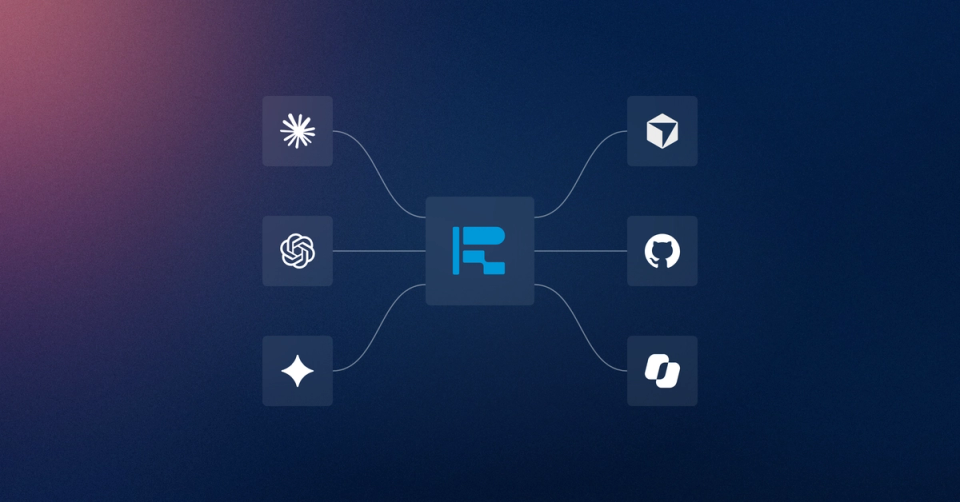
Today we're launching the Rollstack MCP server. Connect Claude, ChatGPT, Claude Code, Cursor, Snowflake Intelligence and Cortex Agents, Databricks Genie and Agent Bricks, or any MCP client to Rollstack and ask for the deck you need.
Rollstack is the AI presentation platform for business reporting. It builds slide decks from your company's data, in your own template, and keeps them current.
Through the MCP server, your assistant builds the deck from any data source you've connected, and exports it to PowerPoint, Google Slides or PDF. Then it refreshes the deck, schedules it, emails it, and bursts it into one version per client, region or team, at any scale. Every figure traces back to its source.
What is the Rollstack MCP server?
The Rollstack MCP server lets an AI assistant build and run slide decks in Rollstack from your company's data, and export them to PowerPoint, Google Slides or PDF. MCP, the Model Context Protocol, is an open standard that lets AI assistants use tools in other apps.
The server gives your assistant tools for reports, datasets, sharing, schedules, email and Bursts. In practice, that's four kinds of work from the chat:
- Build decks from live data. Rollstack builds the deck from any data source you've connected, for a one-off analysis or a recurring report. The numbers come from your data, not from the model.
- Refresh, schedule and send. Run a report, export it to PowerPoint, Google Slides or PDF, set any schedule, and have Rollstack email it to its recipients.
- One template, every variant. Bursts turns one approved report into one version per client, region, team or product line, at any scale, each emailed to its own recipients.
- Edit with the slides agent. Ask for a change to a slide. The slides agent proposes it, and you approve or reject it.
How it works: a monthly review from Tableau
Here's a real run, recorded in the Claude desktop app with Tableau's sample data. The video shows it sped up, and the steps below follow it. The names in parentheses are the Rollstack tools Claude calls.
1. Connect Rollstack. Ask Claude to help you set up the Rollstack MCP server. It offers the Rollstack connector: click Connect, sign in to Rollstack and approve the access.
2. Ask for the deck. Type: "Could we make a monthly review deck? What data connections could we use?" Claude searches the dashboards your connection can see (searchDashboards).
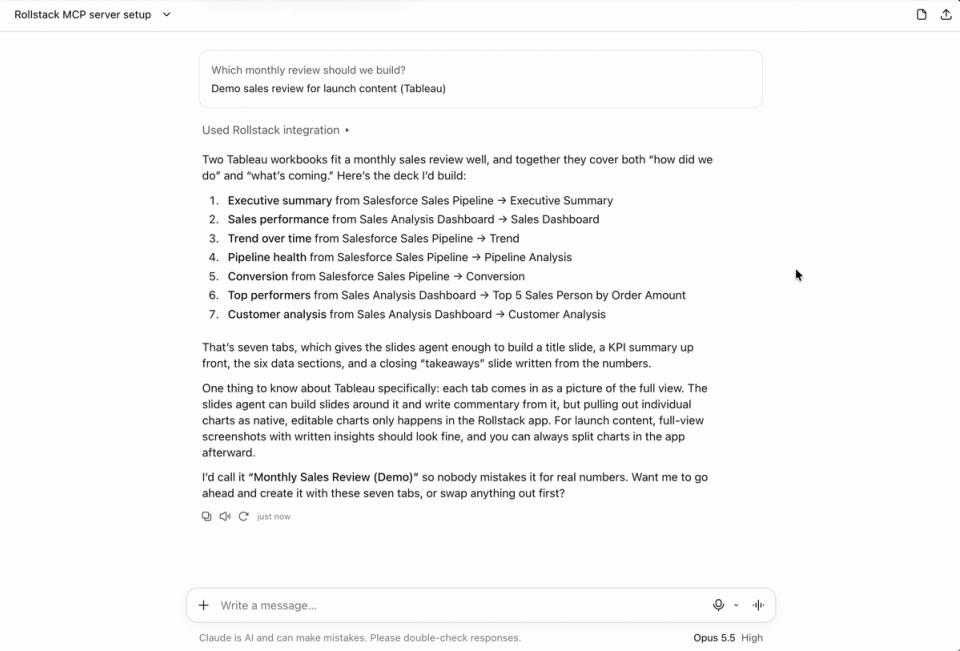
3. Plan it together. Claude asks which review you mean, then proposes a plan: seven sections from two Tableau workbooks, from an executive summary to customer analysis, under the title "Monthly Sales Review (Demo)".
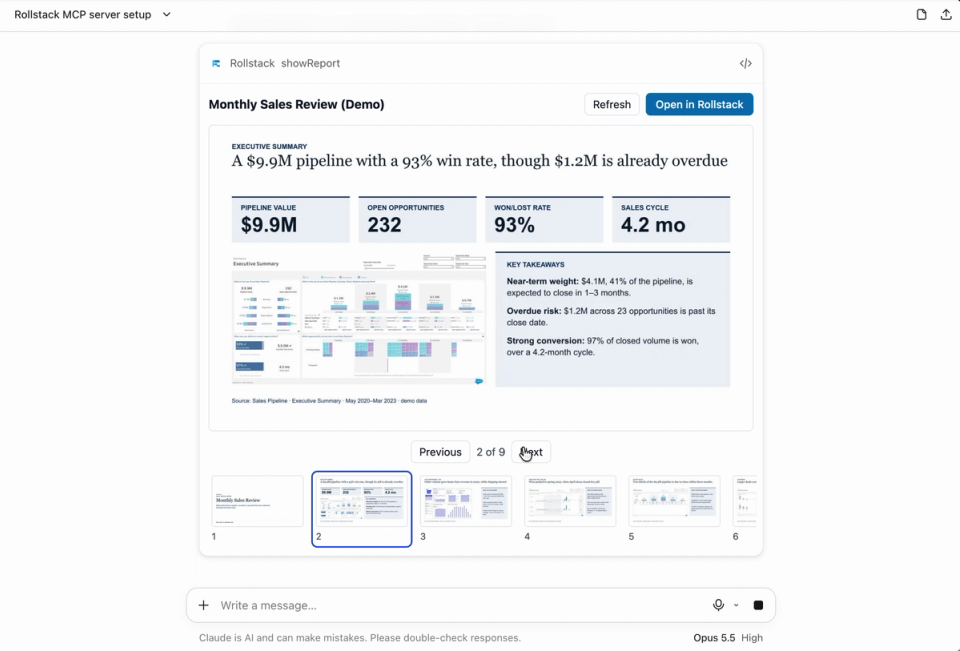
4. Rollstack builds it. Say go and approve the report (createReport). Rollstack's slides agent builds a 9-slide deck. Each Tableau view comes in as a picture of the full view, and the agent writes the headline and takeaways around it. The view stays linked to its dashboard, so it updates when the report refreshes.
5. Review it in the chat. The deck opens inside Claude as a slide viewer (showReport). Page through all nine slides, from the executive summary to next month's actions.
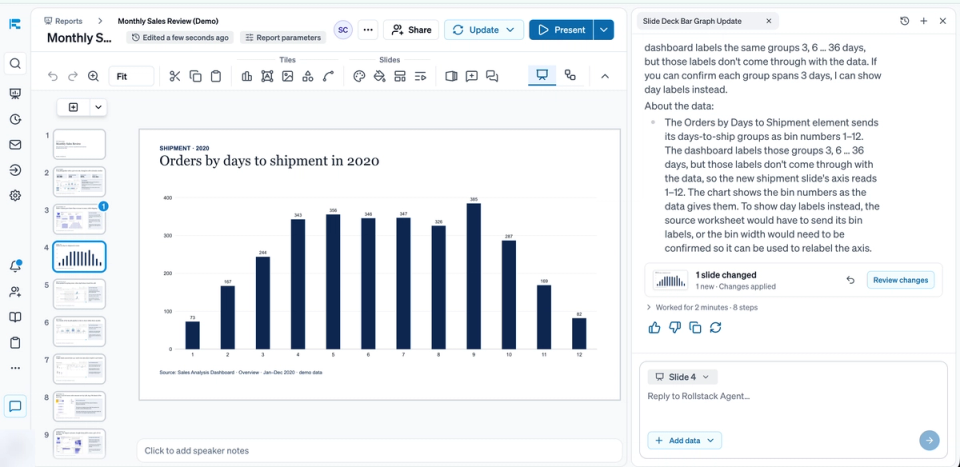
6. Change it in Rollstack. Click Open in Rollstack and the same deck opens in the app. Comment on a tile and tag @Rollstack. Here, the ask is a new slide showing orders by days to shipment as a bar chart.
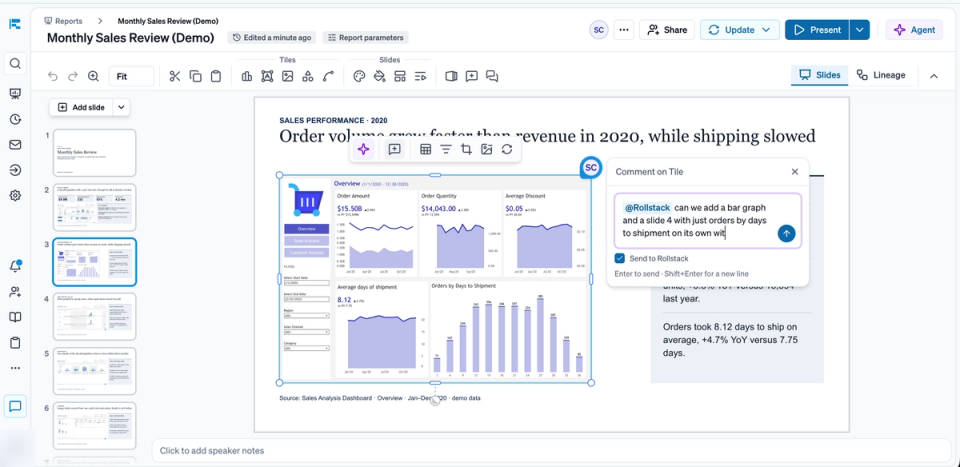
The agent adds slide 4: a native, editable bar chart built from the tile's data.
From there, Claude can refresh the deck, put it on a schedule or email it to your team.
Recipients need no license, login or BI access.
What else can you ask it for?
The run above builds a review deck from Tableau. More prompts, by team:
- "Refresh the data in my weekly sales report and email it to the team." For anyone who owns a recurring deck.
- "Create one deck per region from this template." For CS and account teams with one report per client, region or team.
- "Schedule the board report to update every Monday and send it to leadership." For finance and BI teams who report to leadership on a fixed calendar.
- "Build a QBR for each of my accounts from the QBR template, and email each one to its CSM." For customer success teams ahead of renewal season.
- "Build this month's board pack from our Snowflake finance tables, in the board template." For finance and FP&A teams who work from the warehouse.
- "Add a slide on pipeline by region to the weekly business review." For RevOps and sales ops teams who adjust a deck between cycles.
- "Send every client its own performance report on the first of the month." For agencies and marketing teams with one report per client.
- "Export the quarterly operating review to PowerPoint." For operations and strategy teams who present from their own file.
Customers already run this at any scale. SoFi updates more than 3,300 visuals every month with Rollstack, and CarGurus sends tailored reporting to more than 30,000 dealer partners.
A PowerPoint and Google Slides MCP server for business reporting
Other PowerPoint MCP servers write slides from what the model produces. The options today include local python-pptx servers, a desktop add-in and hosted template builders. That works for a deck with no company data behind it.
Business reporting needs more, whether the deck is a one-off deep dive or a weekly review. The numbers have to come from the systems of record, and the deck has to stay current after it's built. The right people have to get it on time.
Rollstack is the agentic slides platform for business reporting, and its MCP server brings that work into the chat: your connections, your templates, your schedules and your emails.
The Rollstack server connects your assistant to the reporting behind the deck.
Is it safe to let an AI assistant run your reports in Rollstack?
An assistant that can email your leadership team needs limits. These are built into the server:
- Only what you approved. When you sign in (OAuth 2.1), you choose the scopes the assistant gets. It can then do only that, within your role. Members can't grant access that only owners and admins have.
- Access you control. Each sign-in creates a key that lasts 90 days. You can revoke it anytime under Settings → Connected apps.
- Permissions that follow your data. Roles and access follow your data stack configuration: the roles and row-level security in your BI tool and warehouse, or rules you set in Rollstack.
- Some things stay out of the chat. The assistant can't delete reports or manage members or connections.
- Numbers you can check. Every number comes from a deterministic query on the source and links back to it. Refreshes rerun the same queries, with no AI regeneration.
- Approval at every key step. Data logic is vetted and approved by your data team. Bursts run only from approved templates: sales regions use the central template, and CSMs use the QBR template their management defined. Slide changes from the slides agent, and sending and distribution, wait for approval.
- Your model, your keys. Rollstack is model-agnostic: choose your own model and bring your own keys.
Rollstack is SOC 2 Type II, HIPAA and GDPR compliant. See security at Rollstack.
Can Claude or ChatGPT build a PowerPoint from Tableau, Power BI or Snowflake data?
Yes, with Rollstack connected, and so can a Snowflake or Databricks agent. Your assistant asks Rollstack to build the deck from any data source you've connected, in your own template, and exports it to PowerPoint, Google Slides or PDF. The numbers come from queries on the source, so you can check them and refresh them.
How do you connect it?
Add the server URL to your assistant and sign in with your Rollstack account:
https://api.rollstack.com/public/v1/mcpThe MCP server is included on every plan. You need a Rollstack account in a Rollstack organization. No account yet? Create one, or get a demo.
- Claude: add it as a custom connector. On Team and Enterprise plans, an owner adds it first.
- ChatGPT: add it as a custom MCP server. On Business and Enterprise plans, an admin allows custom servers first.
- Claude Code: run the command below, then /mcp to sign in.
claude mcp add --transport http rollstack https://api.rollstack.com/public/v1/mcpThe server is listed in the official MCP Registry as com.rollstack/mcp.
Setup for each client, including Cursor and API keys, is on the Rollstack MCP page. Every tool is in the MCP server reference. To teach your agent the Rollstack workflows, add the open-source skills with npx skills add Rollstack/skills.
Which data sources does it work with?
Any data source. Rollstack connects to where your data lives:
- Data warehouses and lakehouses: Snowflake, Databricks, Google BigQuery, Amazon Redshift, Microsoft Fabric, Azure Synapse Analytics, Oracle Autonomous Data Warehouse, Teradata, ClickHouse, DuckDB and more
- Semantic layers: dbt Semantic Layer, LookML, Snowflake semantic views, Databricks metric views, Cube, AtScale and more
- BI tools: Power BI, Tableau, Qlik Sense, Looker, ThoughtSpot, Domo, Sigma, Metabase, Amazon QuickSight, Mode, Omni, Hex, Lightdash and more
- CRMs and business applications: Salesforce, Dynamics 365, HubSpot, SAP, NetSuite, Workday, Zendesk, Gainsight, Google Analytics and more
- Spreadsheets and files: Excel, Google Sheets, CSV, PDFs, Word, Google Docs, SharePoint, OneDrive, Google Drive, JSON and more
- Everything else: any other application or database through its API
Why not ask Claude or ChatGPT to build the deck on its own?
For a one-off narrative deck with no data behind it, do that. When the deck carries company numbers, the difference shows the second time you need it.
| Your assistant on its own | With Rollstack | |
|---|---|---|
| Where do the numbers come from? | Generated by the model | A deterministic query on your warehouse, BI tool or any connected source |
| Can every number be traced to its source? | You'd check every number | Yes: each keeps its lineage (source, query, last refresh), so anyone can verify it |
| Same logic on every refresh? | Generated again each time | Yes: the same deterministic logic each run, so every number is explainable and none drifts |
| What happens next quarter? | You'd rebuild it | It refreshes with the logic you approved, on schedule, with no prompt and no re-check |
| Is it on brand? | Its default style, or a template you re-apply each time | Your own PowerPoint or Google Slides template, with native, editable charts |
| How does it reach people? | You download it and send it yourself | Emailed to each recipient from Rollstack, on schedule, with nothing to set up |
| Who sees what? | Whatever the chat was given | Your permissions in Rollstack and in the connected sources; every run and every send logged |
| One deck, or one per account? | One deck at a time | A burst: one version per client, region or team, at any scale |
An assistant wired to your warehouse or a semantic layer, such as a Snowflake or Databricks agent, gets you answers. Rollstack turns those answers into decks you can stand behind, and your assistant calls it through MCP.
The bottom line
With Rollstack, your AI assistant can now build the deck and keep it running, from the data your team already trusts. Ask for the deck, check every number against its source, and let it go out on schedule.
Rollstack is the AI presentation platform for business reporting, and it now works from the assistant or agent you already use.