
Learn the new Rollstack
Build an executive-level presentation from trusted data with the agentic reporting platform, from the first prompt to a deck your team can share.
Trusted by the world's best organizations


Read the transcriptHide the transcript
Hi, I'm Jennifer from Rollstack. Rollstack is the agentic reporting platform, one place to analyze, present, and scale every report from your trusted data. Business reporting has always forced a trade-off. Manual reporting is precise but slow. Generic AI tools are fast, but their numbers are often hard to trace back to the source. Rollstack removes that trade-off by bringing together two things. First, the power of data integrations, your data warehouses, your BI tools, and your spreadsheets. Second, the power of an agentic AI-native slide editor. The result is speed and certainty, so you can make decisions with confidence. Today, I'll show you three things. First, going from a prompt to a finished on-brand deck. Second, tracing every number back to its source. And third, scaling one report to every region, brand, or client in your portfolio. Let's get started.
Let's build a report using Rollstack's slides. We'll start by prompting Rollstack's data agent. Once your prompt is ready, you can then add your data. Rollstack allows you to pull data from BI tools like Tableau or Power BI, warehouses like Snowflake, or even CSV and Excel files. What's great about our data warehouse integration is that you're able to build those visuals straight within Rollstack's platform, simply by querying the data tables and adding that data to your presentation.
From here, Rollstack allows you to bring in your own branded templates. This allows Rollstack to assume your brand, your colors, your logos, anything from a design perspective that you may want, as well as allowing Rollstack to determine the length of your presentation or setting that slide length yourself.
Rollstack is now going to get to work. Our agent will build an actionable report based on your data. And within minutes, you'll have a report ready for your leadership or client teams. Rollstack's data agent has now built out your executive business review, complete with the title slide, an executive summary slide, that visual that's created based on that prompt, as well as some key takeaways and next steps. Everything is ready for you.
Now, once your report is done, you may be asked where the numbers are coming from. Using Rollstack's data inspect feature, you're able to chase each number and each insight back to its source. Here, you can see that everything is coming directly from that Snowflake data table so that there's no questions in terms of the quality or data integrity of your presentation.
Using Rollstack's AI-native slide editor, you can make changes directly to the presentation within our platform, whether that's updating the text, the font, or even the visuals using Rollstack's agent or our style editor, you can do that directly within our platform. You can also use Rollstack to collaborate with other users. So whether they need to edit or view the report, they can do that directly here. And in addition, if this is something that you need to present to your leadership team or your client teams on a recurring basis, you're able to schedule updates within Rollstack. You can ask Rollstack to make updates to your data every month or every quarter, however frequently you need it.
Lastly, I want to show you how you can burst your content from one to many. If you need to provide this report to all of your customers or to multiple teams within your organization, using our burst feature, you can go from one to many. You simply choose the filter value that you need, customer name or region, for example, and have Rollstack create you a version for each of those filtered values. This is one way where Rollstack becomes exponentially powerful for your organization. I'd love to connect with you and show you how we can take your data and create beautiful presentations to tell your data stories.
From connected data to a finished deck
One place for teams to turn trusted data into reusable analysis and executive-level presentations, from one-off deep dives to recurring reports.
Reusable analysis
Connect your warehouses, BI tools and spreadsheets to build reusable analysis grounded in your business context. One report can mix Snowflake, Tableau, Power BI, Looker, Google Sheets and Excel.
Explore Data Agents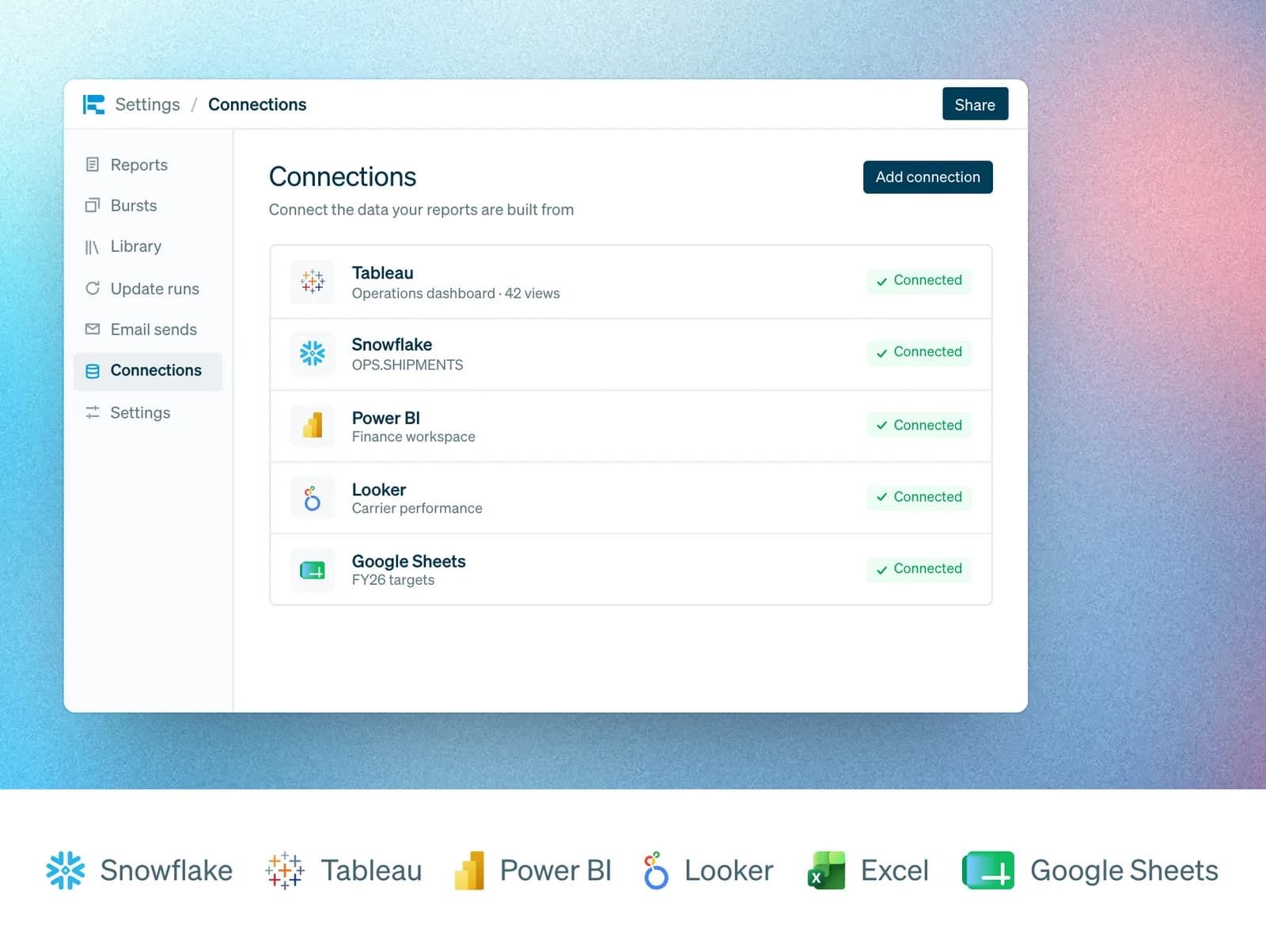
Agentic slides
Describe the presentation you need and pick the sources. The agent finds the figures, works out what changed, builds the charts and drafts the takeaways.
Explore Rollstack Slides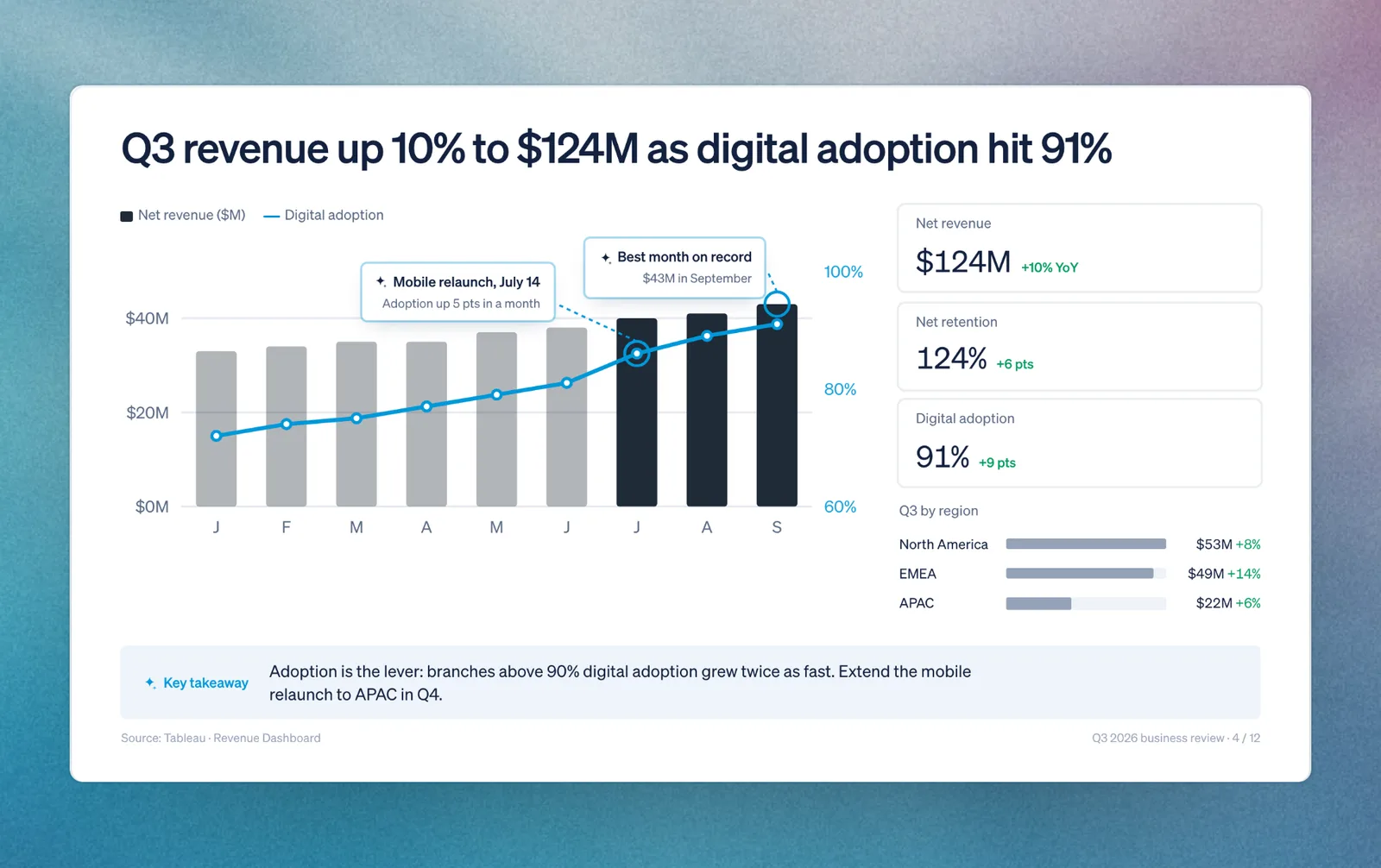
Your template, your brand
The agent builds in your company's template and branding, so the first draft already looks like your team made it. Edit any slide in Rollstack Slides, then export to PowerPoint, Google Slides or PDF.
Explore Rollstack Slides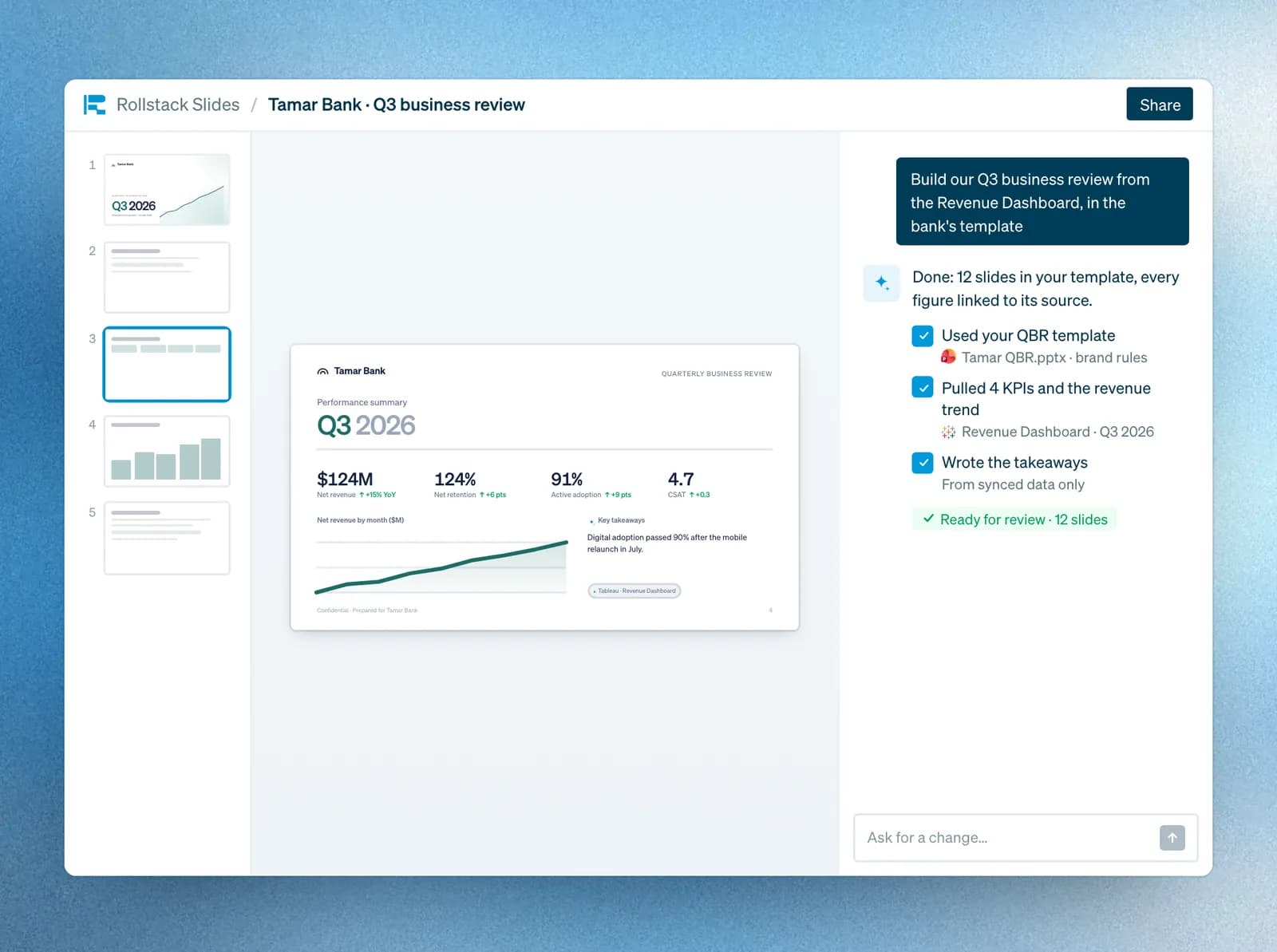
Trace every figure
Open any figure to see the query and source behind it. The agent writes the takeaways, but it doesn't generate a single number, and every refresh follows the logic you approved.
Explore Audit & Lineage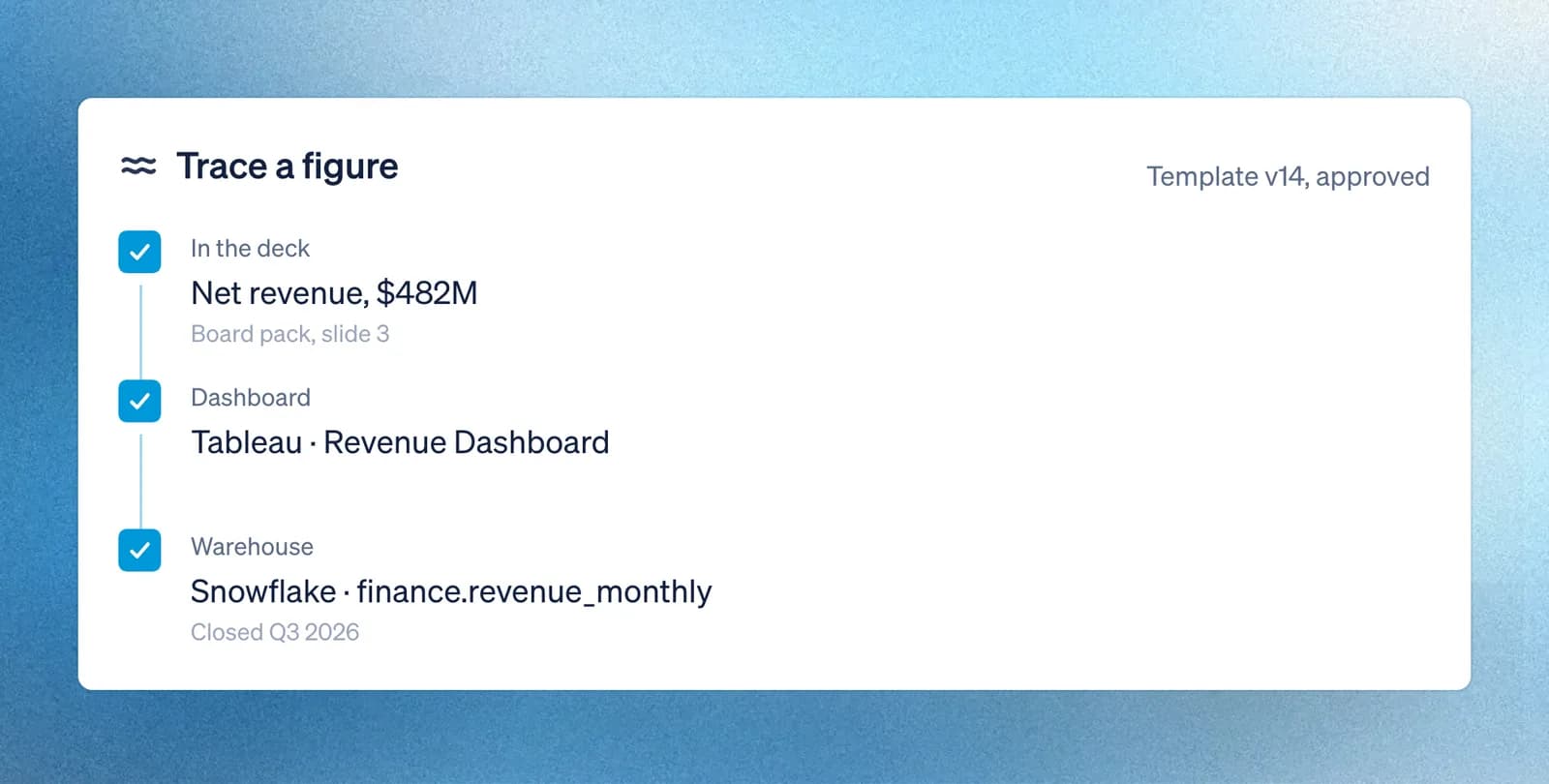
Reporting at scale with Bursts
Scale from one report to thousands with Bursts. Each version is tailored to a client, region or team, with its own numbers, and delivered on demand or on schedule.
Explore Bursts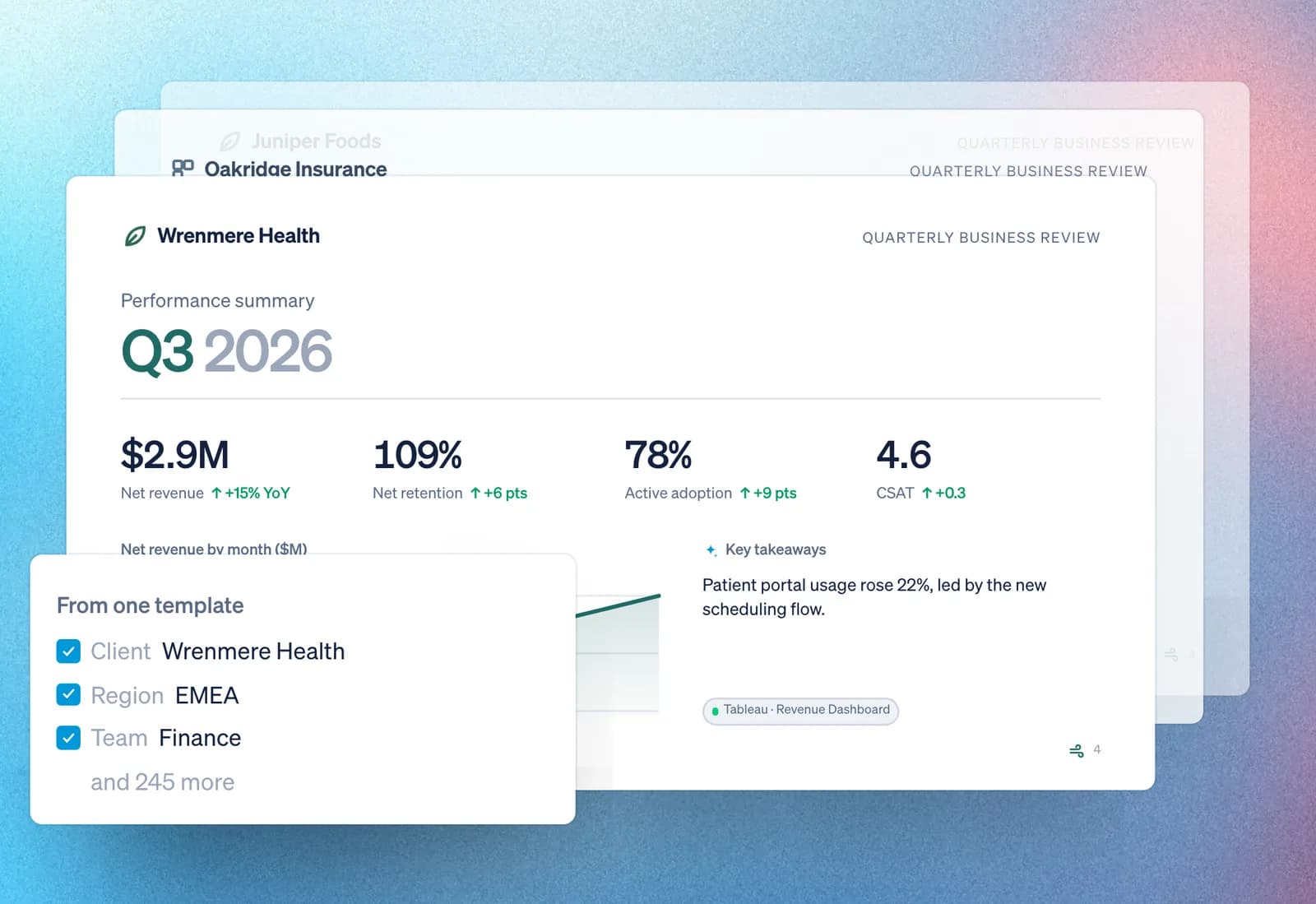

Your monthly report, built by AI in 5 minutes
A live demo of the new Rollstack experience
 Nabil JallouliCo-founder and CEO
 Jennifer MunEnterprise Account Executive
Tue, Nov 3 at 12pm ET
Register