
Dreamforce tips for attendees: How to make the most of your experience

Whether you're a seasoned Dreamforce attendee or gearing up for your first trip, we’ve got you covered with some key tips to make the most out of Salesforce’s annual event. Dreamforce offers a huge lineup of sessions, networking, and insights for Salesforce and Tableau users. Dreamforce 2026 ran September 15-17. The next one, Dreamforce 2027, runs September 21-23, 2027 at Moscone Center in San Francisco, with sessions also streaming on Salesforce+, and registration opens in spring 2027. Here’s how to navigate the week and make your Dreamforce experience valuable, productive and fun.
Reserve Seats for Popular Sessions
Dreamforce offers reserved seating for certifications, roundtables, workshops and hands-on trainings. If one of those is on your must-attend list, reserve your spot as soon as you can, because popular sessions fill up fast. Use the Reserve button on the Sessions page. Arrive at least five minutes before the start, because unclaimed reserved seats go to the drop-in line five minutes before the session begins. Every other session is first come, first seated, so arrive early for those too.
Tip: Favorite your must-attend Tableau sessions so they show up in your agenda. Favoriting doesn’t reserve a seat, so reserve separately where you can.
Don’t Try to Attend Every Session
Dreamforce is packed with amazing sessions, but trying to attend them all can leave you overwhelmed. Remember, you can watch hundreds of sessions, including the keynotes, on demand on Salesforce+ after the event. Leave some time to breathe and, most importantly, network. Whether you're attending in person or virtually, connecting with other Tableau users and industry pros is just as valuable as the sessions themselves.
Tip: Have a few must-attend sessions lined up, but don’t be afraid to prioritize networking over content. Building relationships could lead to opportunities down the line.
Wear Comfortable Shoes
This might sound like simple advice, but it’s crucial. Dreamforce means a lot of walking, especially between buildings. Moscone Center isn’t one building. Dreamforce runs across Moscone North, South and West and other venues downtown, and it’s San Francisco’s largest conference, so walking from one session to the next can be an endurance test. Your feet will thank you.
Tip: Invest in comfortable shoes and be ready for a lot of steps. You’ll be moving between Tableau sessions, networking events, and maybe even exploring San Francisco!
Use the Dreamforce App (A.K.A. the Salesforce Events App)
The Dreamforce app is your best friend. Use it to organize your agenda, register for sessions, and even navigate the event. Download it before you travel and use it to build your agenda, navigate the campus and book meetings. You’ll get notifications about sessions you’re interested in, and the app will show you where to go.
Tip: The app works for other Salesforce events too, including the Tableau Conference, TDX and more.
Networking at Dreamforce
Whether you’re attending in person or virtually, networking is one of the best parts of Dreamforce. Connecting with other Salesforce and Tableau users and data professionals can spark collaborations, new ideas, and even career opportunities. Take the time to talk to people, attend social events, and exchange contact details.
Tip: Interested in how automation can change your Tableau reporting? Book a time with the Rollstack team.
Bring a Charger (Or Two)
Between the Dreamforce app, taking notes, and checking your schedule, your phone battery will drain quickly. Bring a portable charger to avoid the panic of finding an outlet in the middle of the day. You might also become the most popular person in the room if you bring a multi-port charger to share.
Tip: Want to see how Rollstack automates Tableau reporting? Book a time with our team.
Dreamforce Express Badge Pickup
Save time at badge pickup with Express Badge Pickup and Digital Pass. You log in to the attendee portal and upload a live selfie, and Salesforce says it’s 3x faster than general badge pickup. Opting in takes less than 30 seconds. Details are in the Dreamforce FAQ.
Tip: If you’re arriving the night before, pick up your badge early. In 2026, badge pickup at Moscone West opened the day before the event.

Escape from San Francisco; Plan Your Exit Strategy
Dreamforce can be hectic, especially on the last day when everyone’s trying to catch flights or leave the city. If you’re flying out, use Dreamforce’s Coat and Bag Check so you don’t have to carry your bags around all day. In 2026 it ran all three days at Moscone West, the Moscone South lobby and the YBCA Forum.
Tip: If your schedule is tight, plan your exit ahead of time. And if you’re not rushing out, use the last day to make any final connections and wrap up the event on a high note.
Dreamforce for Tableau Users
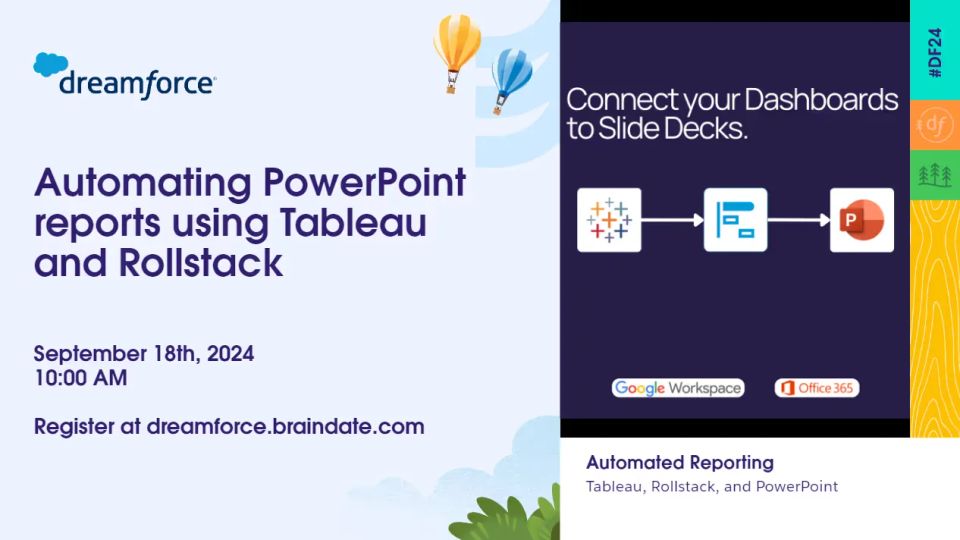
Dreamforce has an overwhelming number of sessions, more than 1,600 in 2026. If you’re a Tableau user, filter the session catalog by product to find the sessions relevant to you. The Dreamforce 2027 catalog isn’t out yet, but you can browse last year’s sessions to see what to expect. If you're part of the #datafam take a moment to schedule a time to meet with the Rollstack team for a quick demo on automating PowerPoints from Tableau with Rollstack.
Can’t Make It in Person? Watch on Salesforce+
If you can’t attend in person, you can still catch many of the sessions on Salesforce+. The keynotes stream during the event, and hundreds of sessions stay on demand afterward. Dreamforce 2026 is on demand on Salesforce+ now, free. Sign in with a free Trailblazer account to watch.
Laptops Optional at Dreamforce
Unless you’re expected to work during the event, leave your laptop at the hotel or at home. The exception is workshops. Check the workshop description, because some ask you to bring your own laptop and charger. Dreamforce is all about engaging with sessions, networking, and having conversations, and lugging around a laptop all day isn’t necessary. Just bring your phone and charger, and you’re good to go.
Attend the Networking Events
Networking doesn’t just happen in sessions. Make sure to attend the Dreamforce parties and meetups. These events are perfect for meeting new people and strengthening relationships within the Tableau community. You never know what collaborations might come out of a casual conversation.
Tip: Don’t be afraid to strike up conversations with new people. Dreamforce is full of open, friendly professionals who are eager to connect.
Attend Some “Braindates”
Speaking of networking, Dreamforce has offered Braindates in past years. They’re small, peer-to-peer conversations, 1-to-1 or in small groups, booked through the agenda. If they’re on the 2027 agenda, book a few. These focused conversations can be more valuable than large sessions, especially for Tableau users looking to dig into a specific problem.
Find a Local Coffee Spot
San Francisco is famous for its coffee culture, so skip the chains and explore local favorites like Blue Bottle, Ritual Coffee, or Philz Coffee. These are great places to take a break and recharge during the event.
Plan Your Food Breaks
Dreamforce offers lunch, but sometimes it’s best to break away from the crowd and try some local spots. Head over to the Ferry Building for a variety of quick bites, or check out a local taco truck for an authentic San Francisco experience.
Don’t Miss the Dreamforce Keynotes
Even on a packed day, make time for the keynotes. The main keynote with Salesforce Chair and CEO Marc Benioff is the flagship session, with the biggest announcements and live demos. Product keynotes go deeper on specific areas. At Dreamforce 2026 those included Agentforce, AIforce, Data 360 and Slack. Times and rooms go up in the session catalog and the Salesforce Events app, and you can stream the keynotes on Salesforce+.
Catch Dreamforce’s Dreamfest Concert
If you’re into live music, don’t miss Dreamfest, the concert event of Dreamforce. It’s a great way to unwind after a packed day of sessions and networking. Dreamfest is included with in-person registration. In 2026 it was open to attendees 21 and over with a Full Conference badge and photo ID, there was no reentry, and bags were restricted (see the bag policy below). If you’re staying in town for the concert, make sure to plan your transport ahead—ridesharing apps get swamped that night.
Use Luggage Storage on the Last Day
If you have a late flight out on the last day, check your bags at Dreamforce’s Coat and Bag Check. You don’t have to worry about dragging your bags around while you’re squeezing in those final sessions.
Take a Break and Explore San Francisco
Dreamforce is intense, and it’s easy to feel overwhelmed. Take a breather by exploring San Francisco. Check out Golden Gate Park, go for a stroll along the Embarcadero, or take a quick ride to the top of Twin Peaks for an incredible view of the city.
Know Your Directions
Moscone Center is huge, and Dreamforce sessions can be spread across different buildings. Make sure you know where you’re going ahead of time, and don’t assume you can get from one session to another in five minutes. Plan for a bit of extra walking time between buildings.
Travel Light
Between the sessions, swag, and networking, it’s easy to get bogged down by what you’re carrying. Bring only the essentials—portable charger, notebook, phone—and leave space in your bag for any cool swag you pick up. You’ll appreciate traveling light by the end of the day.
Dreamforce bag policy
Salesforce published its bag rules in the Dreamforce FAQ ahead of the 2025 and 2026 events. For Dreamforce 2026, bags or backpacks larger than 12 by 18 by 6 inches weren’t allowed in. Standard-size backpacks were fine, larger bags had to go to Coat and Bag Check before entry, and all bags were subject to search. Coat and Bag Check ran all three days at Moscone West, the Moscone South lobby and the YBCA Forum.
Dreamfest was stricter. Backpacks, large bags, laptops and luggage weren’t allowed, only a small clutch or fanny pack, and there was no bag storage at the ballpark. Drop your bag at your hotel or at the Moscone West or YBCA Forum bag check first.
Check the Dreamforce FAQ for the 2027 rules before you pack.
Talk to Rollstack about Tableau reporting
Dreamforce is where you collect ideas. The recurring reporting work starts when you’re back. If your team rebuilds the same Tableau-based decks every month, book a time with the Rollstack team and we’ll show you how to automate them.
Connects to the tools you already use
All integrations